# Static Analysis Tools/Methods
Taking Notes is a MUST.
## HashMyFiles
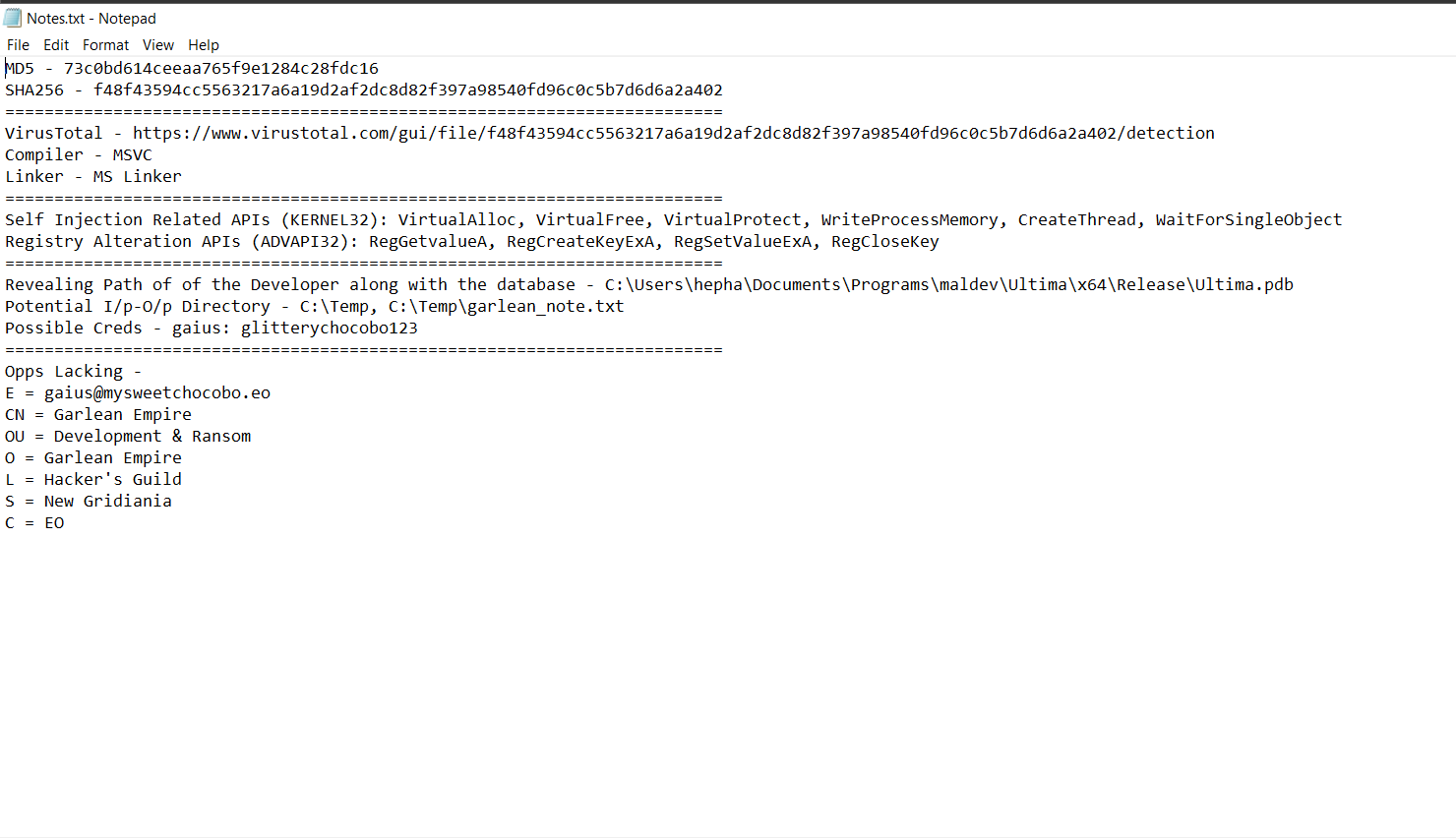
We need to do this to know if the malware or something about it is known. We try to find some ‘history’ to this malware. This makes it easy for us to know what to expect. Thus for this, we create a folder ‘*Notes.txt*’.
Inorder to get to know the hashes, Flare VM comes with a variety of stuff. Simply `right click > HashMyFiles` and you have a variety of them.
## VirusTotal
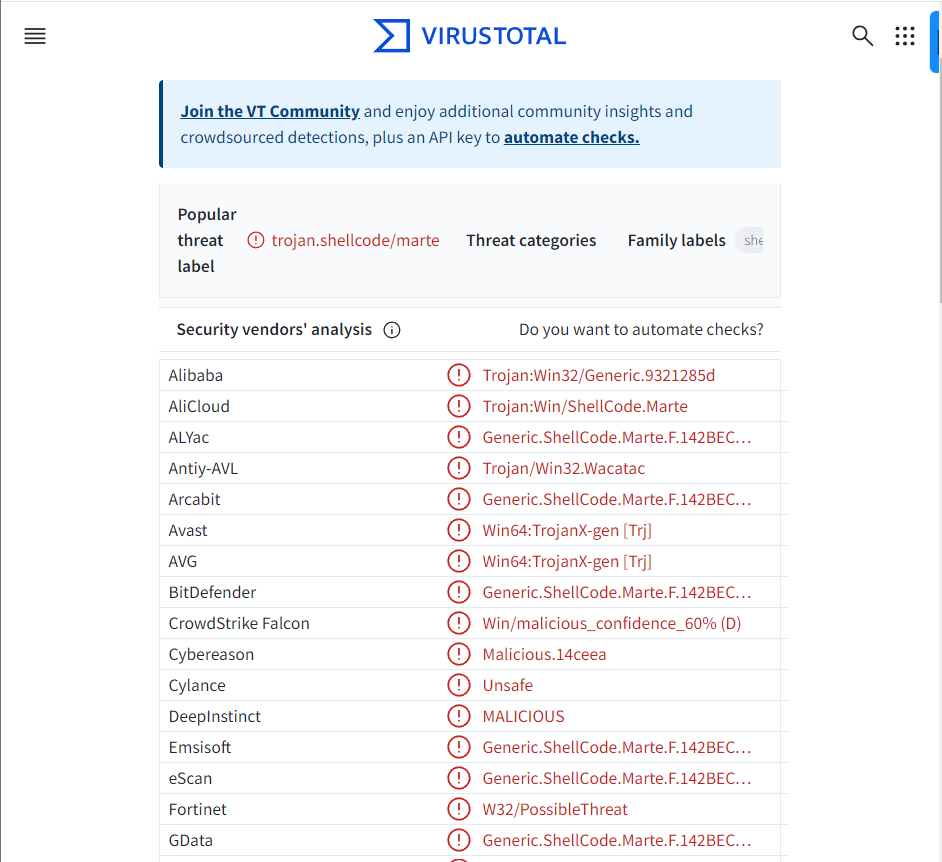
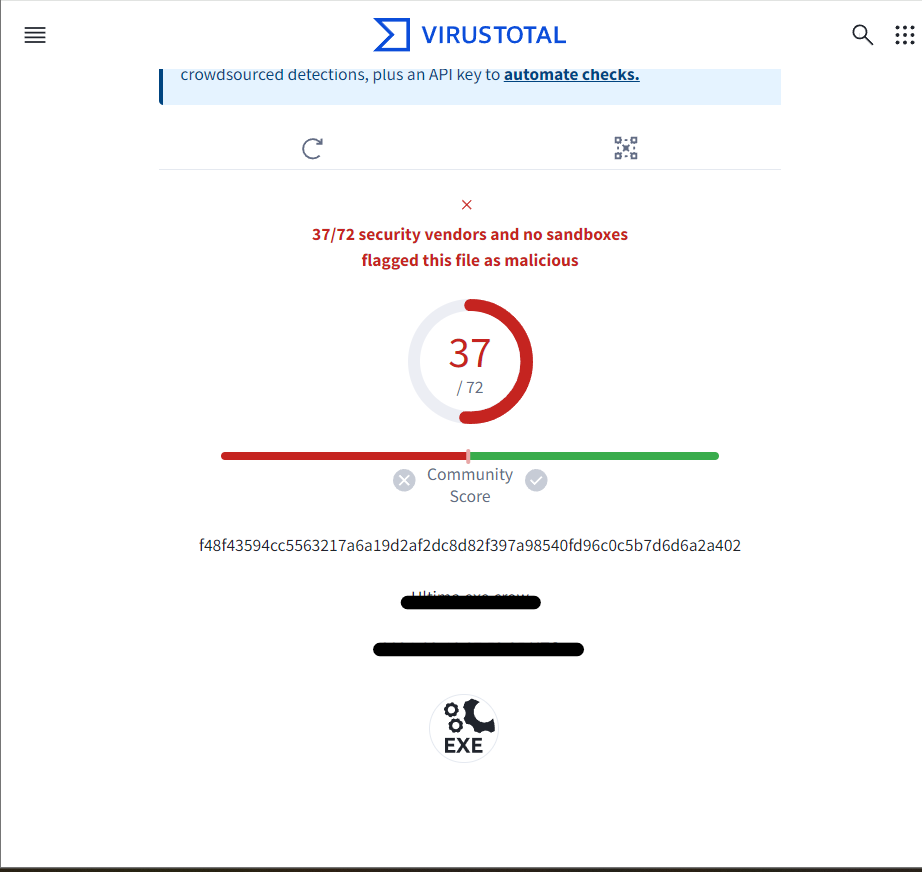
Now we can see if we get something useful via VirusTotal. Searching by Hash, we get a number of viruses/malwares.
Apart from all this it provides a general overview, given details of creation, modification, etc., along with file names used, registry keys (both opened and set), processes trees, highlights, call, etc. But sometimes, VirusTotal need to get the malware to work in order to get and give better results.
## DIE
Detect It Easy (DIE) is a portable application designed for binary analysis and reverse engineering tasks. It provides a user-friendly interface for analyzing executable files, libraries, and other binary formats.
So the Compiler is MSVC and Linker is MS Linker.
We can know more about file entropy from [Threat Hunting with File Entropy](https://practicalsecurityanalytics.com/file-entropy/)
## PE bear
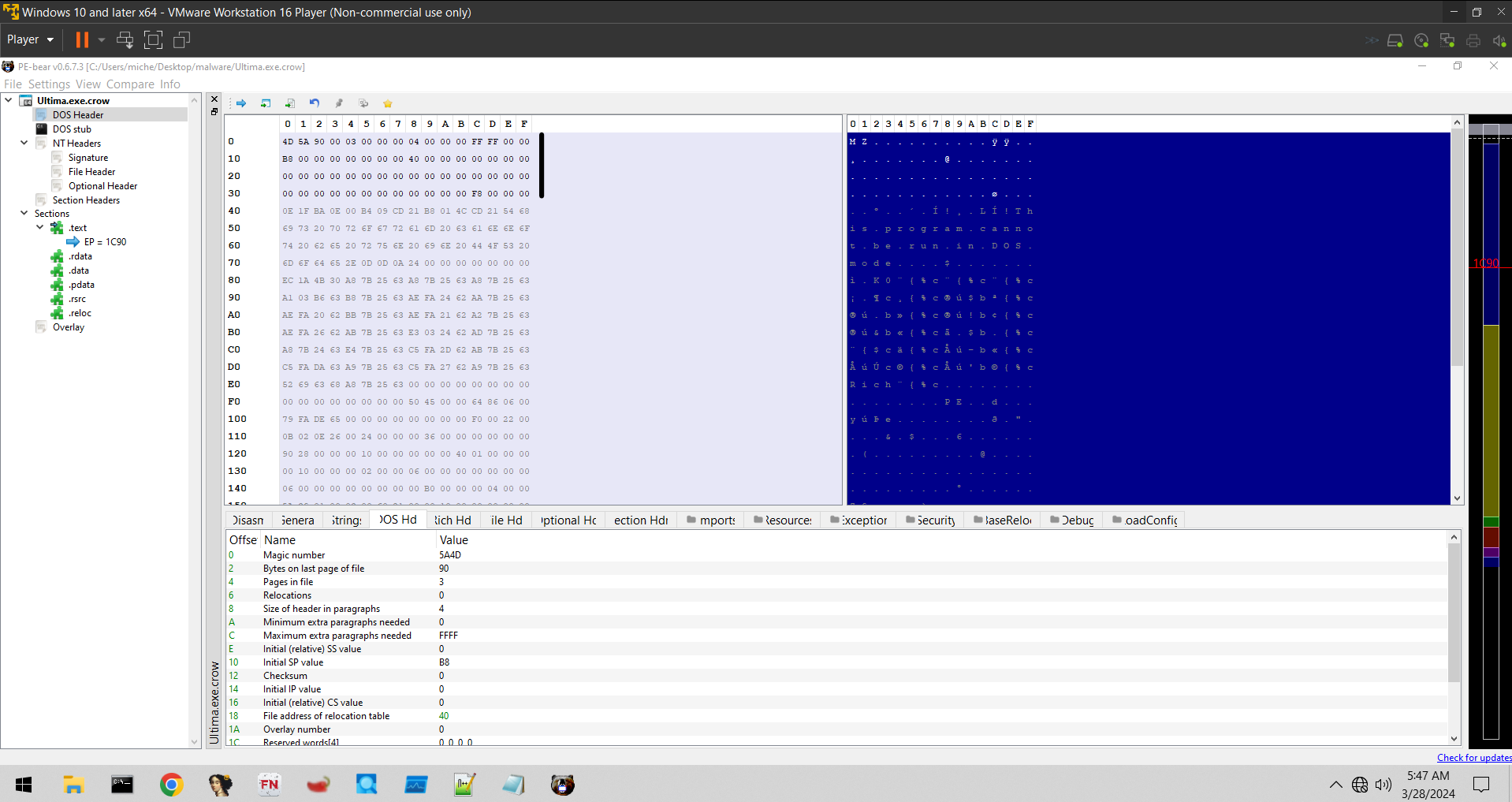
Open the malware executable file in pe bear. If there is any other custom extension after ‘.exe’, remove it to have better idea and not messup with the imports.
1. #### DOS Header
2. #### DOS Stub
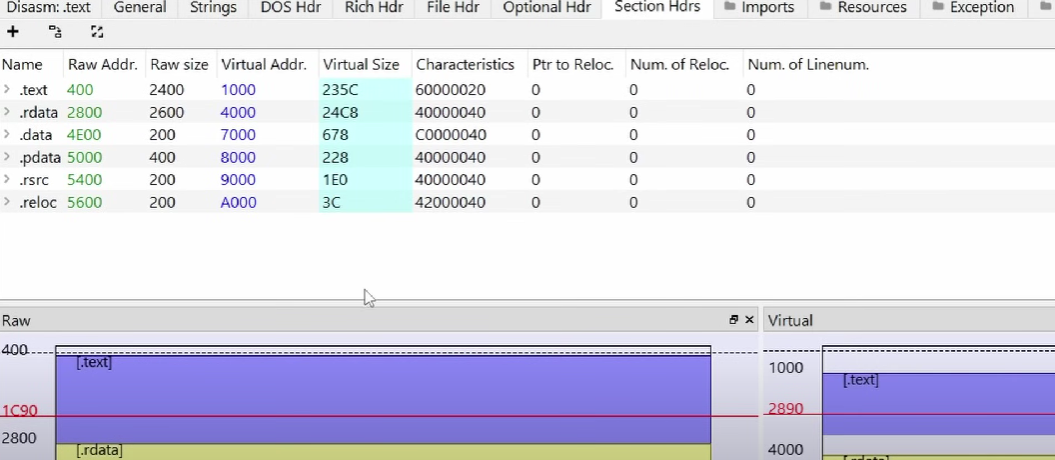
3. #### Sections
4. #### idata
5. #### Imports
By opening KERNEL32.dll we get to know that it is importing many suspicious shit like VirtualProtect, VirtualFree, GetLastError, CloseHandle, WriteProcessMemory, CreateThread, WaitForSingleObject, etc. This is textbook shellcode injection api stuff.
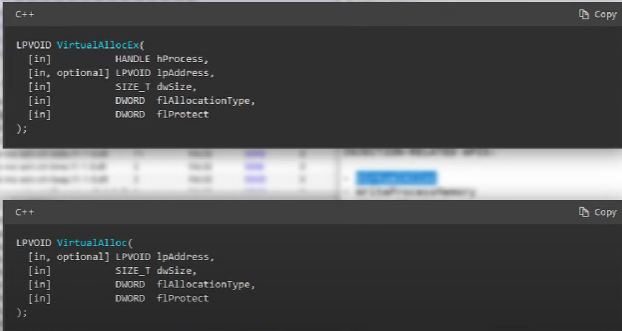
Extended Functions give you the ability to specify a remote process to do it too. Eg. For Virtually Allocating to a remote process, you need to get a handle somehow, so we will see an OpenProcess function here to get an handle or can use (HANDLE)-1 if trying locally. Then you need the extended VirtualAllocEx. The diff b/w the 2 is that VirtualAlloc is for local ones and VirtualAllocEx has a handle, so it allows remote process. So since there are no ‘Ex’ (at the end) in the prev injection api, thus they are self injection api.
But this doesn’t mean that these functions will be called. These are generally imported just to make it look different.
We might have function like WIN32APIFUNCTION, which might expect 3 inputs. But we set them to
```powershell
WIN32APIFUNCTION(NULL, NULL, NULL) ;
```
So even if we call this function, it wont make any different but still would be seen in the imports function part of KERNEL32.dll.
Similarly we can abuse ADVAPI32.dll, etc.
## floss
```powershell
floss Ultima.exe.crow #Use this cmd
```
```powershell
FLARE FLOSS RESULTS (version v3.0.1-0-g3782dc9)
+------------------------+------------------------------------------------------------------------------------+
| file path | Ultima.exe.crow |
| identified language | unknown |
| extracted strings | |
| static strings | 517 (7882 characters) |
| language strings | 0 ( 0 characters) |
| stack strings | 0 |
| tight strings | 0 |
| decoded strings | 0 |
+------------------------+------------------------------------------------------------------------------------+
────────────────────────────
FLOSS STATIC STRINGS (517)
────────────────────────────
+-----------------------------------+
| FLOSS STATIC STRINGS: ASCII (515) |
+-----------------------------------+
!This program cannot be run in DOS mode.
{%cRich
.text
`.rdata
@.data
.pdata
@.rsrc
@.reloc
AQAPRQVH1
R`>H
R >H
rP>H
JJM1
RAQ>H
AXAX^YZAXAYAZH
XAYZ>H
The power of the sun... in the palm of my hand.
ULTIMA
user32.dll
L$ SVWH
t$ L
0_^[
L$ SVWH
t$X3
t$ L
0_^[
L$@H
D$0L
D$@H
D$(D
L$ H
T$HH
T$HH
D$@H
T$HH
D$@H
T$HH
L$XH
T$XH
|$@H
D$PH
D$8H
|$0E3
L$PH
D$ E3
T$XH
T$XH
MGH3
t$ WH
T$ H
T$ H
L$PH3
\$`I
USAVH
d$ L
D$ y
d$0E3
d$(L
d$ 3
A^[]
D$PH
T$ H
T$ H
T$ H
T$ H
L$PH3
T$ H
L$PH3
\$@H
t$HH
D$8H
D$8H
D$@H
@SVWH
T$`H
L$hH
T$`L
L$0L
L$pH
L$(3
@_^[
t!eH
uxHc
uTL+
H3E
\$PH
L$0L
L$(H
L$ 3
L$PH
D$PH
D$@H
u/HcH
%31s
[38;5;240m%s
[0m[
[38;5;226m?
[0m] Password
[0m :: >
[38;5;240m%s
[0m[
[38;5;154m+
[0m] Successfully authenticated. Welcome, Gaius van Baelsar.
[38;5;240m%s
[0m[
[38;5;117mi
[0m] All clear for detonation. Whenever you're ready, Black Wolf.
[38;5;240m%s
[0m[
[38;5;226m?
[0m] Press to continue execution.
[0m :: >
[38;5;240m%s
[0m[
[38;5;203m!
[0m] [%d/3] Careful, initiate. Lest you want to lose your head.
[38;5;240m%s
[0m[
[38;5;203m!
[0m] Maximum login attempts exceeded. Access denied. We're on our way.
[%X]
[38;5;240m%s
[0m[
[38;5;203m!
[0m] either you didn't supply a function nameor the function actually returned successfully
[38;5;240m%s
[0m[
[38;5;203m!
[0m] [%s] failed, error: 0x%lx
[38;5;240m%s
[0m[
[38;5;117mi
[0m] [0x%p] Current process handle.
VirtualAlloc
[38;5;240m%s
[0m[
[38;5;154m+
[0m] [0x%p] [RW-] Allocated a buffer with PAGE_READWRITE [RW-] permissions!
WriteProcessMemory
[38;5;240m%s
[0m[
[38;5;198m*
[0m] [0x%p] [RW-] [%zu/%zu] Writing payload bytes to the allocated buffer...
[38;5;240m%s
[0m[
[38;5;154m+
[0m] [0x%p] [RW-] Wrote %zu-bytes to the allocated buffer
VirtualProtect
[38;5;240m%s
[0m[
[38;5;154m+
[0m] [0x%p] [R-X] Changed buffer's page protection to PAGE_EXECUTE_READ [R-X]
CreateThread
[38;5;240m%s
[0m[
[38;5;154m+
[0m] [0x%p] Thread created! waiting for it to finish its execution...
[38;5;240m%s
[0m[
[38;5;117mi
[0m] [0x%p] Thread finished execution, beginning cleanup...
[38;5;240m%s
[0m[
[38;5;117mi
[0m] [0x%p] Closed process handle
[38;5;240m%s
[0m[
[38;5;117mi
[0m] [0x%p] Closed thread handle
[38;5;240m%s
[0m[
[38;5;117mi
[0m] [0x%p] Remote buffer freed
[38;5;240m%s
[0m[
[38;5;117mi
[0m] Beginning initialization...
[38;5;240m%s
[0m[
[38;5;203m!
[0m] It seems like ANSI is disabled for you, recruit. What did we say about disabling ANSI? That's 40 days in the dungeon for you.
[38;5;240m%s
[0m[
[38;5;117mi
[0m] Exiting...
[38;5;240m%s
[0m[
[38;5;154m+
[0m] Ultima unleashed. Such devestation. This was your intention. Exiting...
RSDS
C:\Users\hepha\Documents\Programs\maldev\Ultima\x64\Release\Ultima.pdb
GCTL
.text
.text$mn
.text$mn$00
.text$x
.idata$5
.00cfg
.CRT$XCA
.CRT$XCAA
.CRT$XCZ
.CRT$XIA
.CRT$XIAA
.CRT$XIAC
.CRT$XIZ
.CRT$XPA
.CRT$XPZ
.CRT$XTA
.CRT$XTZ
.rdata
.rdata$voltmd
.rdata$zzzdbg
.rtc$IAA
.rtc$IZZ
.rtc$TAA
.rtc$TZZ
.xdata
.idata$2
.idata$3
.idata$4
.idata$6
.data
.bss
.pdata
.rsrc$01
.rsrc$02
WriteProcessMemory
VirtualProtect
VirtualFree
VirtualAlloc
WaitForSingleObject
GetLastError
CloseHandle
CreateThread
KERNEL32.dll
RegSetValueExA
RegCreateKeyExA
RegGetValueA
RegCloseKey
ADVAPI32.dll
__C_specific_handler
__current_exception
__current_exception_context
memset
VCRUNTIME140.dll
fopen
__acrt_iob_func
_localtime64_s
fflush
fclose
strftime
__stdio_common_vfprintf
fputs
__stdio_common_vfscanf
_time64
free
getchar
_mkdir
malloc
puts
_seh_filter_exe
_set_app_type
__setusermatherr
_configure_narrow_argv
_initialize_narrow_environment
_get_initial_narrow_environment
_initterm
_initterm_e
exit
_exit
_set_fmode
__p___argc
__p___argv
_cexit
_c_exit
_register_thread_local_exe_atexit_callback
_configthreadlocale
_set_new_mode
__p__commode
_initialize_onexit_table
_register_onexit_function
_crt_atexit
terminate
api-ms-win-crt-stdio-l1-1-0.dll
api-ms-win-crt-time-l1-1-0.dll
api-ms-win-crt-heap-l1-1-0.dll
api-ms-win-crt-filesystem-l1-1-0.dll
api-ms-win-crt-runtime-l1-1-0.dll
api-ms-win-crt-math-l1-1-0.dll
api-ms-win-crt-locale-l1-1-0.dll
RtlCaptureContext
RtlLookupFunctionEntry
RtlVirtualUnwind
UnhandledExceptionFilter
SetUnhandledExceptionFilter
GetCurrentProcess
TerminateProcess
IsProcessorFeaturePresent
QueryPerformanceCounter
GetCurrentProcessId
GetCurrentThreadId
GetSystemTimeAsFileTime
InitializeSListHead
IsDebuggerPresent
GetModuleHandleW
strcmp
api-ms-win-crt-string-l1-1-0.dll
memcpy
N0L0
DigiCert Inc1
www.digicert.com1$0"
DigiCert Assured ID Root CA0
220801000000Z
311109235959Z0b1
DigiCert Inc1
www.digicert.com1!0
DigiCert Trusted Root G40
]J<0"0i3
t;mq
u]xf
v=Y]Bv
p,A`
RQGt
|Lu?c
Qko
q]dL
m0k0$
http://ocsp.digicert.com0C
7http://cacerts.digicert.com/DigiCertAssuredIDRootCA.crt0E
>0<0:
4http://crl3.digicert.com/DigiCertAssuredIDRootCA.crl0
Jz/-
5FjiT
wZ\T
~qj#k"
T-'~
New Gridiania1
Hacker's Guild1
Garlean Empire1
Development & Ransom1
Garlean Empire1&0$
gaius@mysweetchocobo.eo0
240228092638Z
250227092638Z0
New Gridiania1
Hacker's Guild1
Garlean Empire1
Development & Ransom1
Garlean Empire1&0$
gaius@mysweetchocobo.eo0
0l#-
yHeI
g6SU
8l e
d7;#
S0Q0
E!=gh
>x!L
y*J0L
hsC`
(f*^[0
DigiCert Inc1
www.digicert.com1!0
DigiCert Trusted Root G40
220323000000Z
370322235959Z0c1
DigiCert, Inc.1;09
2DigiCert Trusted G4 RSA4096 SHA256 TimeStamping CA0
=rIQU
|jWz
!hn7!
{un'%
+Xt@(
u($A
fIRP
,W5y+
/s)v
q]dL
k0i0$
http://ocsp.digicert.com0A
5http://cacerts.digicert.com/DigiCertTrustedRootG4.crt0C
<0:08
2http://crl3.digicert.com/DigiCertTrustedRootG4.crl0
%41g
i?Gw
',=?k
Axz8
DigiCert, Inc.1;09
2DigiCert Trusted G4 RSA4096 SHA256 TimeStamping CA0
230714000000Z
341013235959Z0H1
DigiCert, Inc.1 0
DigiCert Timestamp 20230
H-^Eu
x)9k
{s>2
!IQ~
/s)v
S0Q0O
Ihttp://crl3.digicert.com/DigiCertTrustedG4RSA4096SHA256TimeStampingCA.crl0
http://ocsp.digicert.com0X
Lhttp://cacerts.digicert.com/DigiCertTrustedG4RSA4096SHA256TimeStampingCA.crt0
a7hIw
.%x%
w}uE
y8H_
|s1U
l2|X/gGe
New Gridiania1
Hacker's Guild1
Garlean Empire1
Development & Ransom1
Garlean Empire1&0$
gaius@mysweetchocobo.eo
CKc~
}o!
b(<,'
?d}U
&U5#
KGM\t
0w0c1
DigiCert, Inc.1;09
2DigiCert Trusted G4 RSA4096 SHA256 TimeStamping CA
240228093224Z0/
2Qwv~
U~xP&
`a0R
5DdNg
*=B}5`r
bnz}
+------------------------------------+
| FLOSS STATIC STRINGS: UTF-16LE (2) |
+------------------------------------+
RegCreateKeyExA
RegSetValueExA
─────────────────────────
FLOSS STACK STRINGS (0)
─────────────────────────
─────────────────────────
FLOSS TIGHT STRINGS (0)
─────────────────────────
───────────────────────────
FLOSS DECODED STRINGS (0)
───────────────────────────
FLARE-VM Thu 03/28/2024 6:22:27.97
C:\Users\miche\Desktop\malware>
```
Note that this below is color padding,
```
[38;5;240m%s
[0m[
[38;5;154m+
[0m]
```
The text you provided seems to be formatted with ANSI escape codes for terminal colors. Here's a breakdown of what each part represents:
1. `[38;5;240m`: This sequence indicates a foreground color change. Specifically, `38` signifies that the following codes are for foreground color, `5` indicates that the color will be specified using 8-bit color mode, and `240` specifies the color index. In this case, color index `240` typically corresponds to a shade of gray.
2. `%s`: This is a placeholder for a string value that will be inserted into the formatted text.
3. `[0m`: This sequence resets the text formatting to default. It clears any color or style changes applied earlier.
4. `[`: This bracket seems to be a part of the formatted text but doesn't have any specific ANSI escape code associated with it.
5. `[38;5;154m`: Similar to the first sequence, this indicates a foreground color change to color index `154`, which typically corresponds to a specific color.
6. `+`: This is a literal character '+'.
7. `[0m]`: Another sequence that resets the text formatting to default, followed by a closing bracket.
In summary, the text appears to be a formatted string with colored text using ANSI escape codes, followed by a literal '+'.
Anyways so here we seems to get some interesting stuff like
```powershell
http://ocsp.digicert.com0C
7http://cacerts.digicert.com/DigiCertAssuredIDRootCA.crt0E
4http://crl3.digicert.com/DigiCertAssuredIDRootCA.crl0
#these are generally certificates attached. Might not see this much unless you are
#using a leaked cert for malware (are illegal)
New Gridiania1
Hacker's Guild1
Garlean Empire1
Development & Ransom1
Garlean Empire1&0$
gaius@mysweetchocobo.eo0
240228092638Z
250227092638Z0
New Gridiania1
Hacker's Guild1
Garlean Empire1
Development & Ransom1
Garlean Empire1&0$
gaius@mysweetchocobo.eo0
```
We seem to get the following from this -
```
Revealing Path of of the Developer along with the database - C:\Users\hepha\Documents\Programs\maldev\Ultima\x64\Release\Ultima.pdb
Potential I/p-O/p Directory - C:\Temp, C:\Temp\garlean_note.txt
Possible Creds - gaius: glitterychocobo123
```
## Cert details
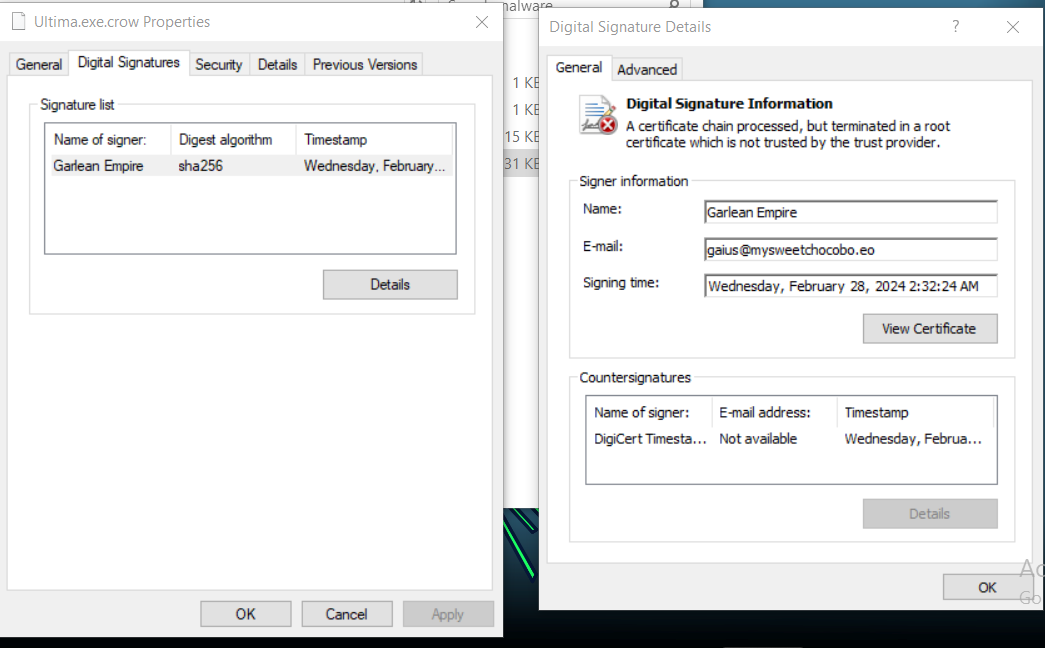
From `Properties > Digital Signature > Details`, we get our stuff.
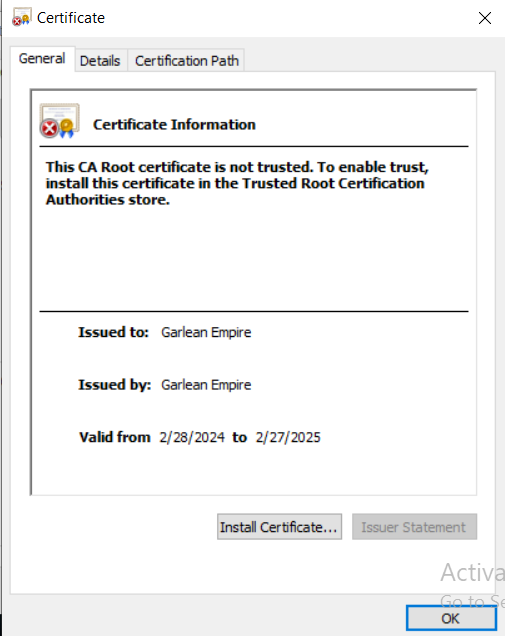
View the cert, and get more details.
That’s all for Static Analysis. And our final Notes.txt looks something like this,
Lets now dive into Dynamic Analysis.